
Stop spend leakage before it becomes routine.
F2 SpendGuard matches vendor invoices to contracts, RFQs, work orders, pickups, credits, and compliance evidence — so dealership groups know what was approved, what was billed, and what should be challenged.
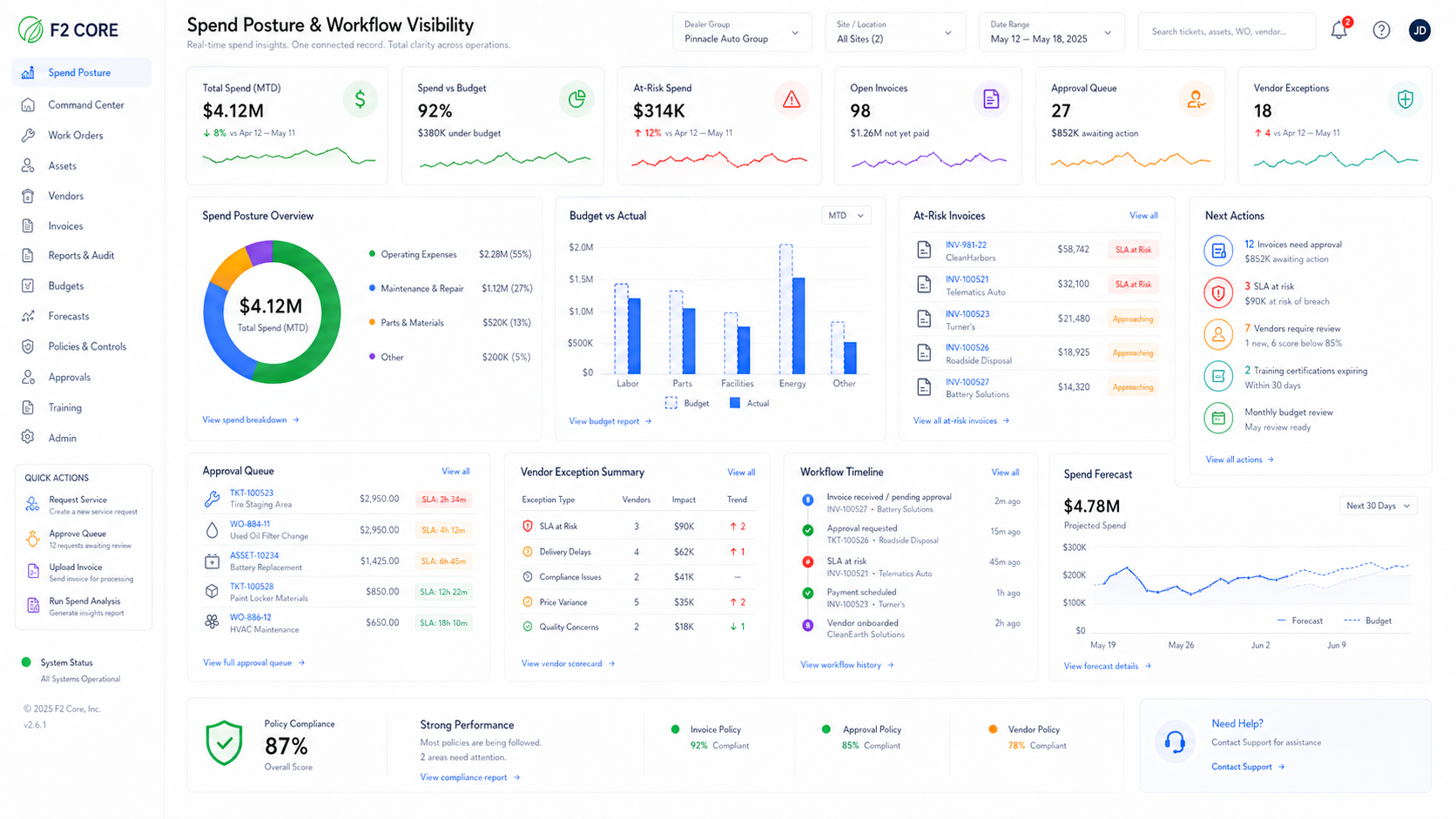
Evidence-backed invoice exceptions
Used-oil credit reconciliation
Vendor scorecards and contract compliance
AI assistant with cited sources
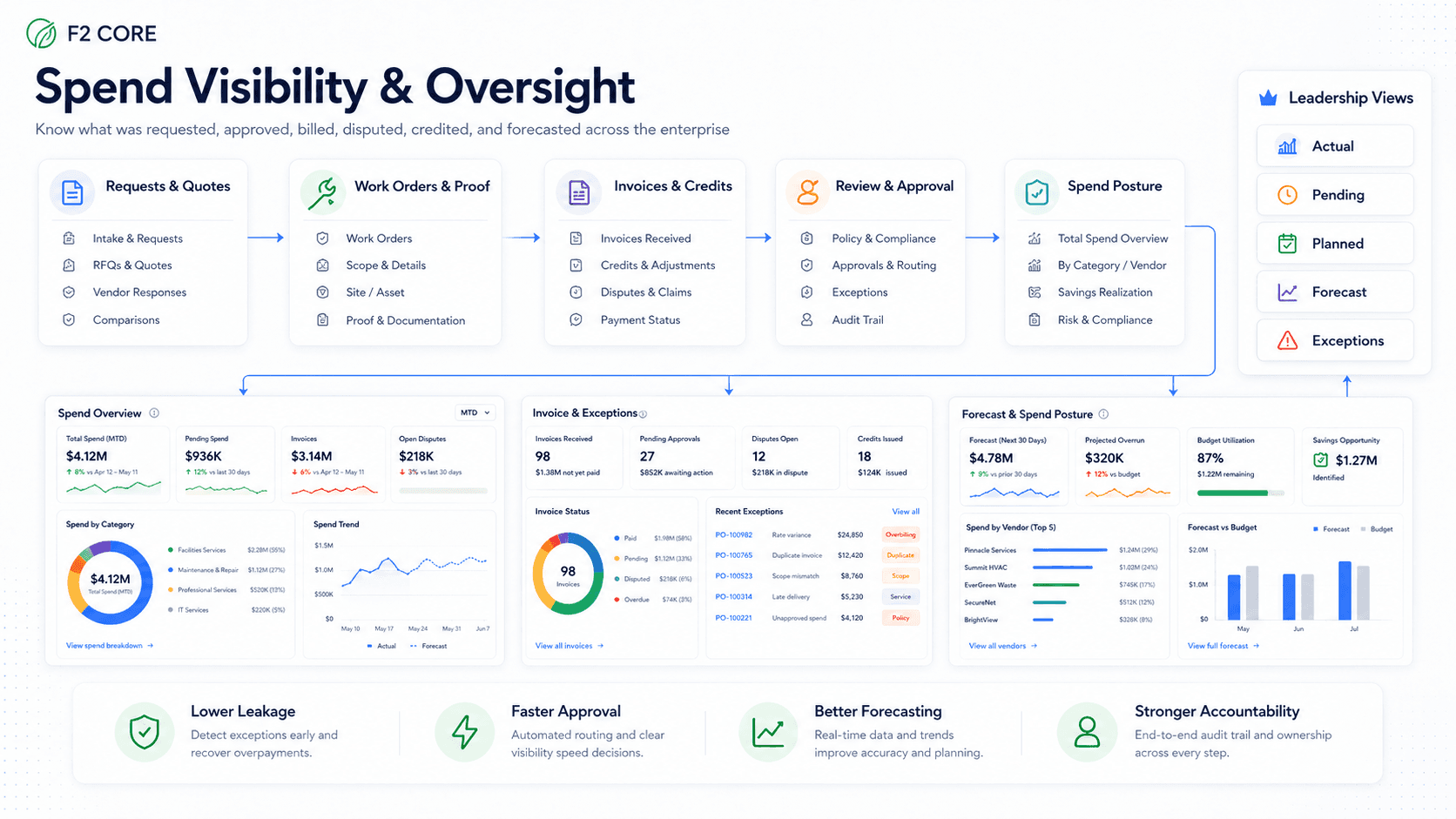
Where dealership facility spend leaks
Facility invoices, vendor quotes, contracts, work orders, waste manifests, and credits live in separate places. SpendGuard connects the records into one evidence trail.
Spend is fragmented
Invoices, quotes, contracts, work orders, manifests, and credits live in separate systems. The full story is hard to assemble at payment time.
AP lacks operational context
AP sees the bill, but not always the approved quote, work completion proof, pickup record, or contract rate.
Service teams lack cost visibility
Service managers run pickups and vendor visits but rarely see final charges or credits per pickup or site.
Vendor drift goes unnoticed
Trip charges, fuel fees, rate increases, and PM upcharges creep over time without a contract benchmark.
Savings are hard to prove
Potential savings get found but rarely tracked through credit recovery and validation.
Five spend intelligence workflows
SpendGuard ships with five connected modules. Each one anchors to a real dealership signal — an invoice, a pickup, a contract term, a vendor record — and routes the right next step with evidence attached.
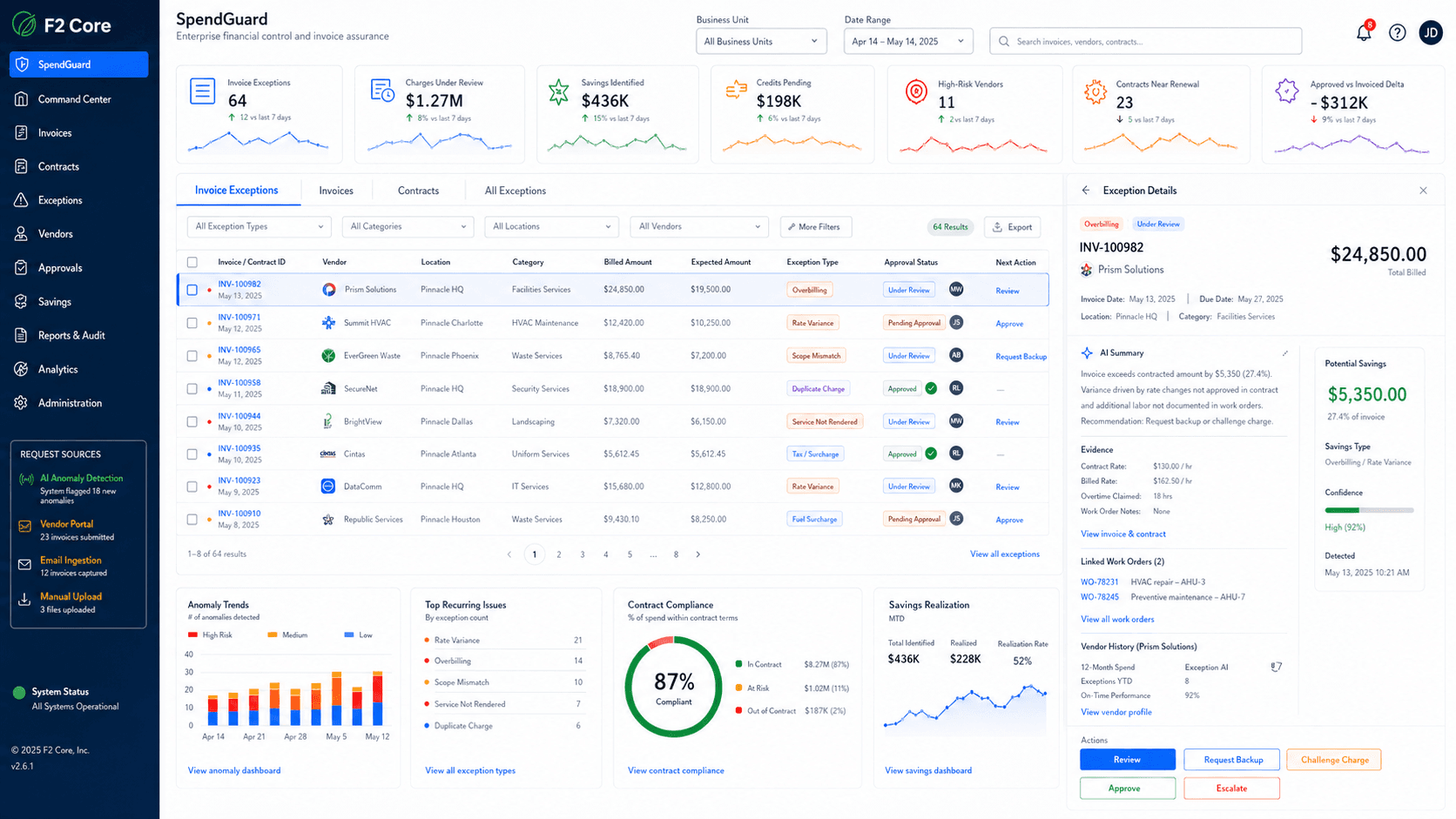
Invoice Intelligence
Match invoices to RFQs, contracts, work orders, and pickups. Flag duplicates, over-quote charges, missing approvals, unauthorized surcharges.
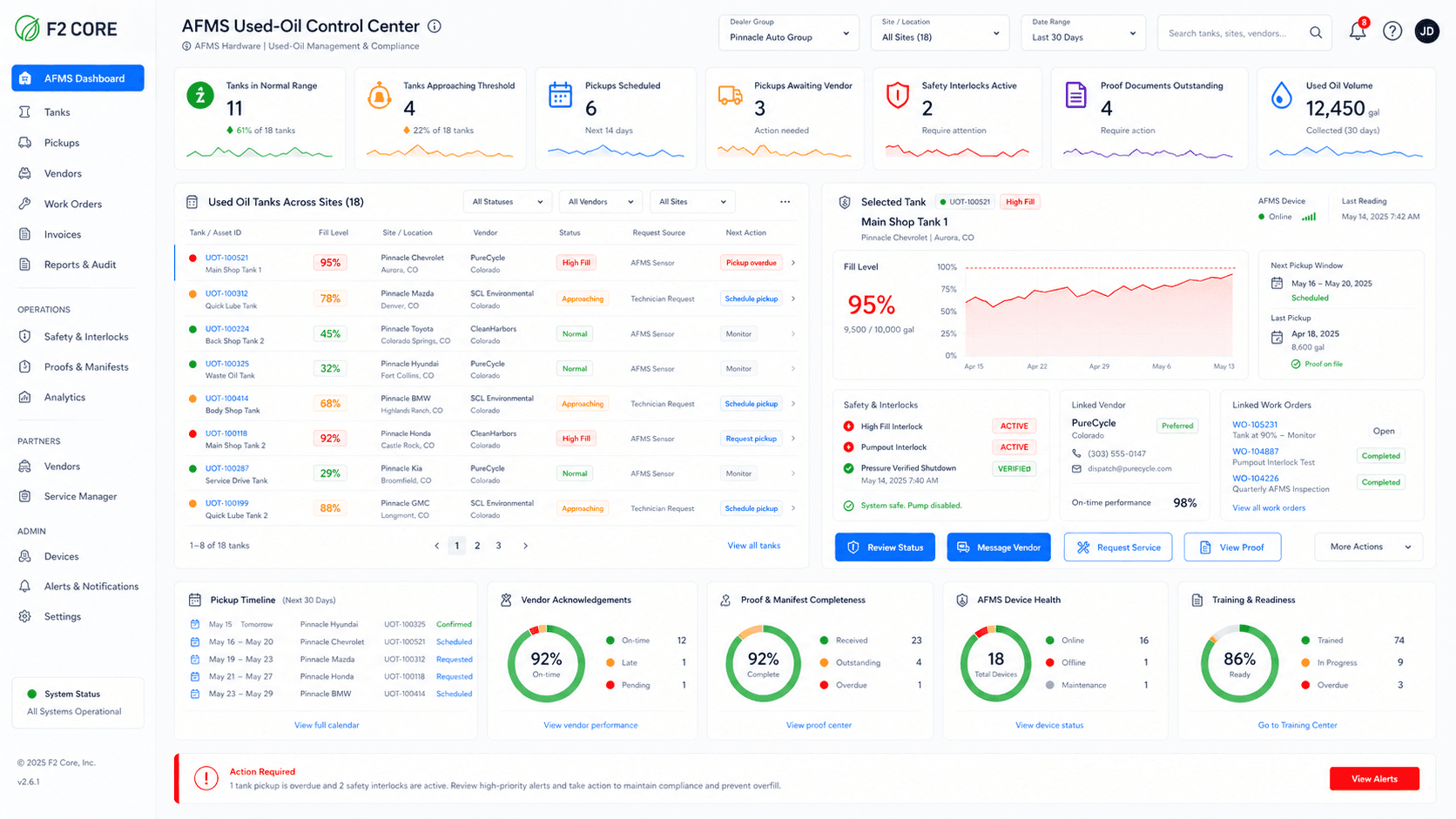
Used Oil & Waste Spend
Reconcile pickup events, manifests, tank deltas, vendor invoices, and used-oil credits. See net cost per site and per vendor.
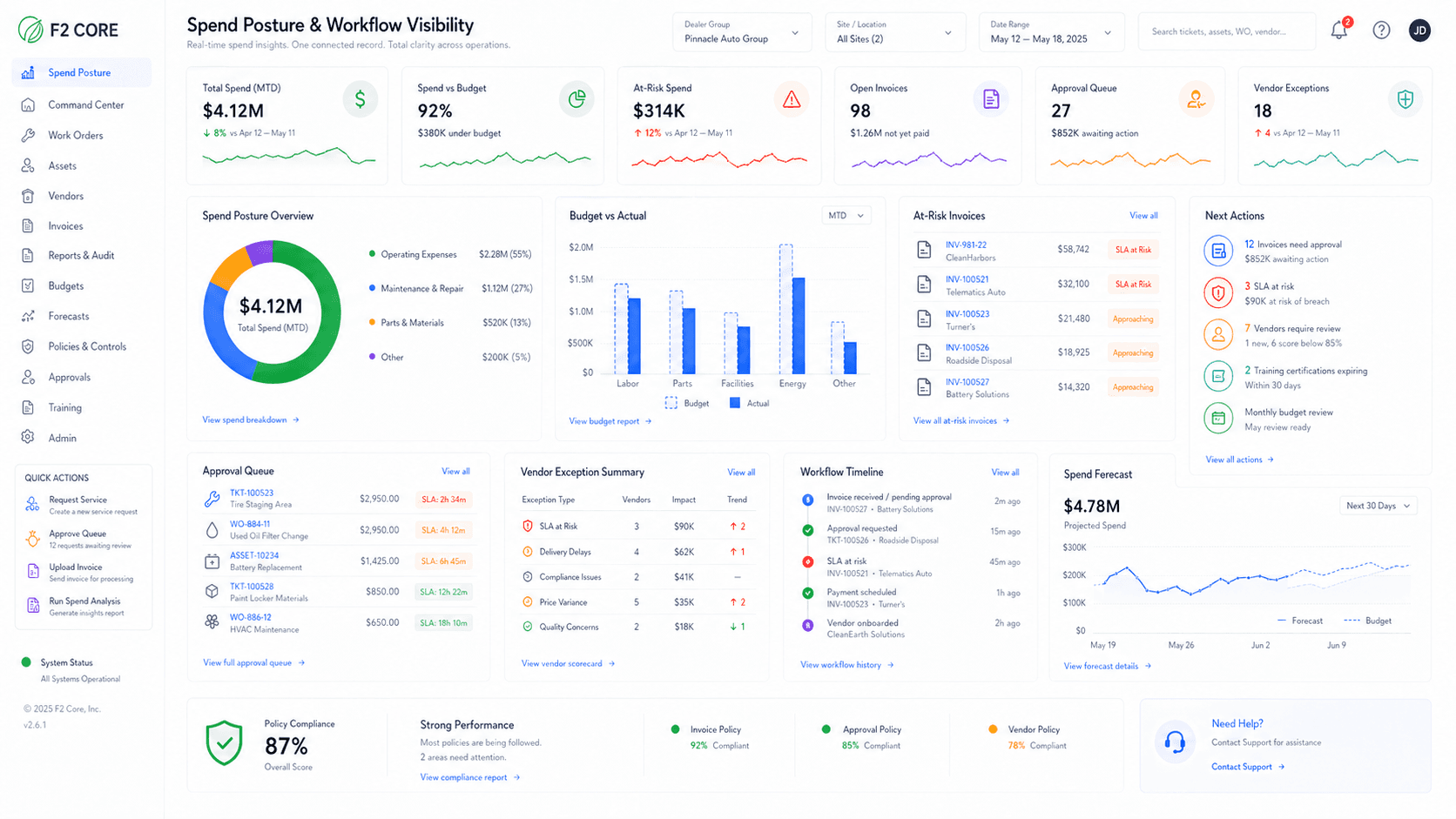
Contract Compliance
Manage contract terms, rate cards, surcharge rules, and renewal calendars. Match invoice lines to contract benchmarks.
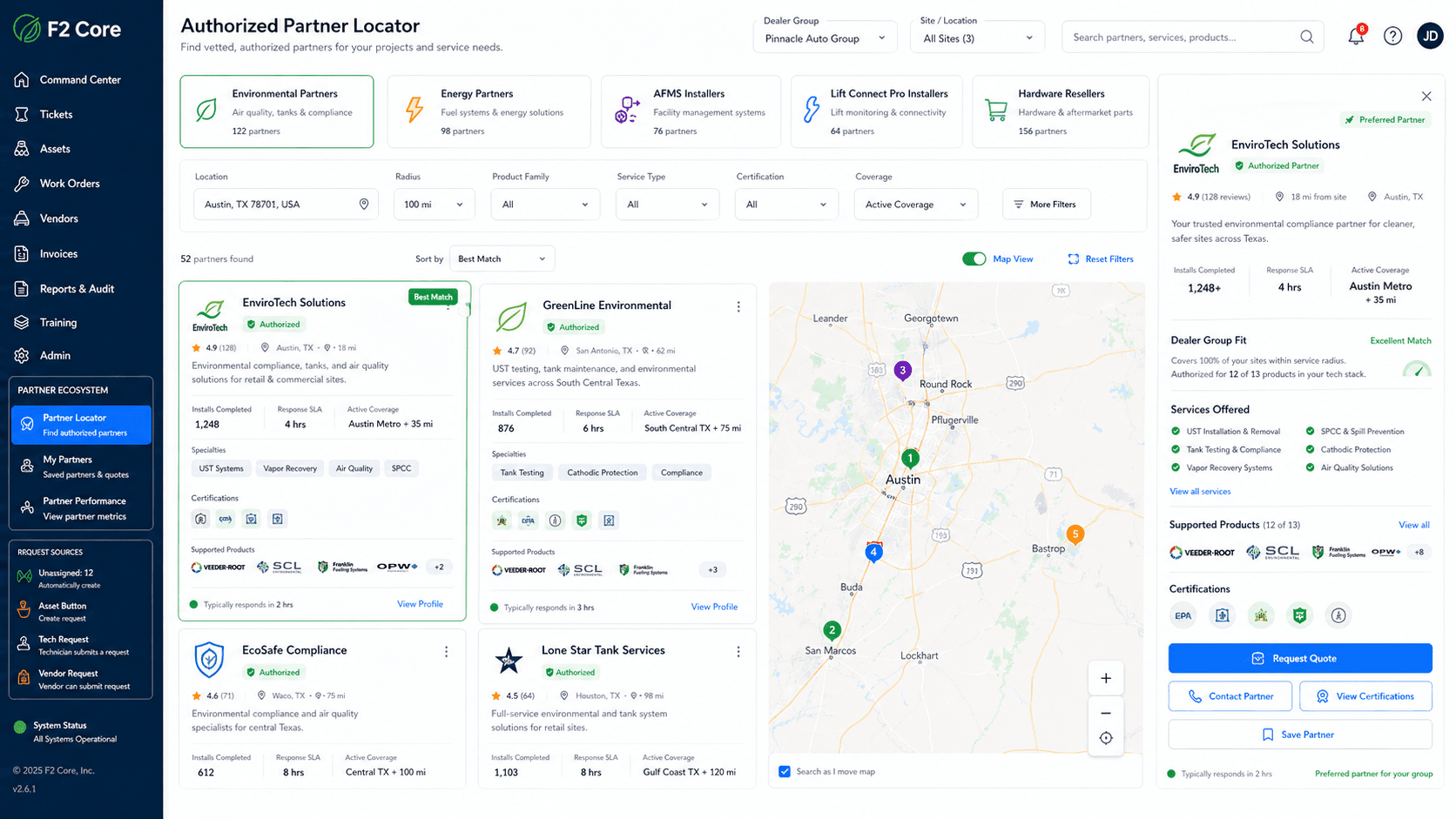
Vendor Scorecards
Invoice accuracy, SLA, RFQ responsiveness, contract compliance, and risk rating in one vendor view.
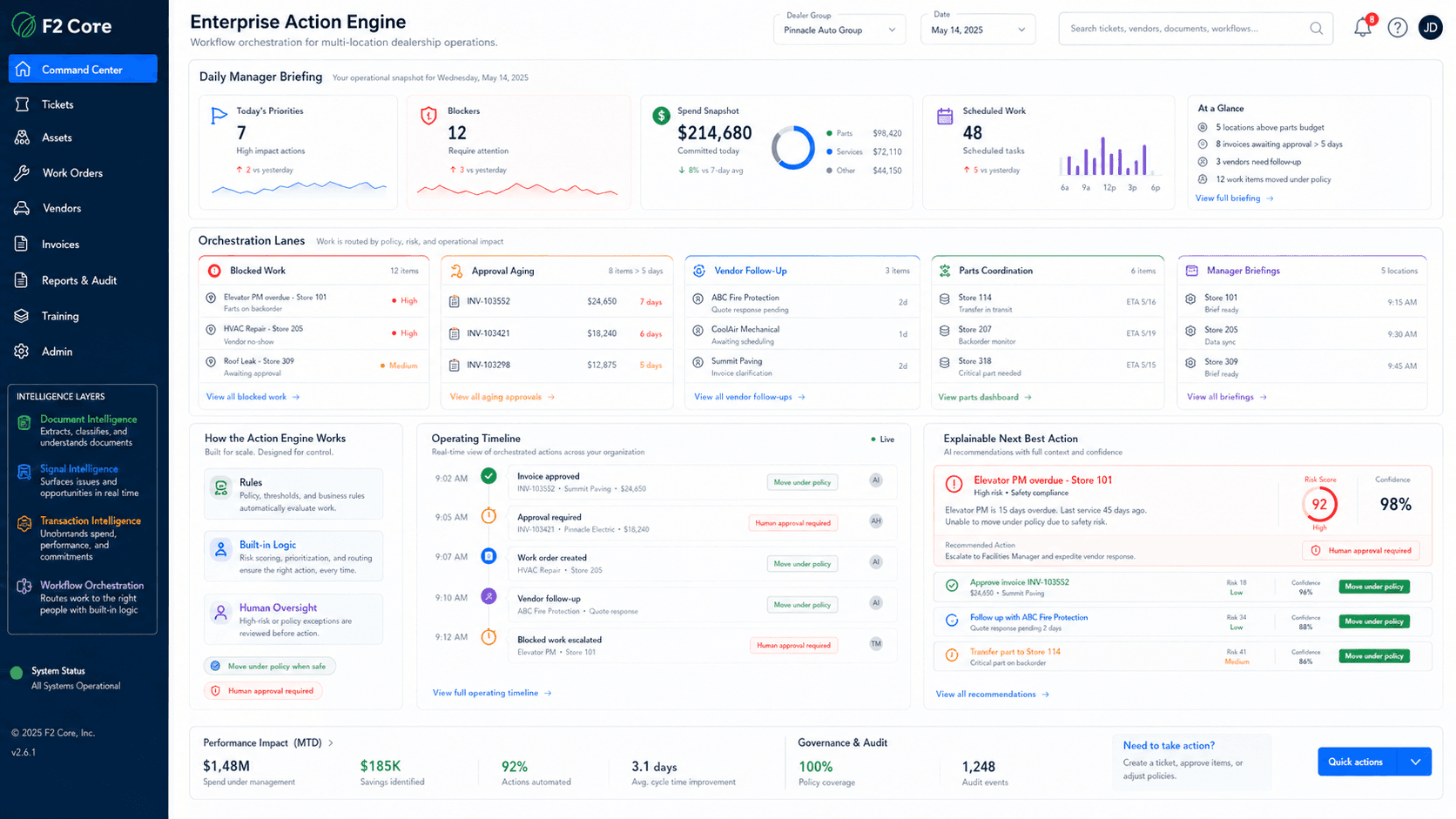
AI Spend Assistant
Ask spend, contract, and pickup questions. Every answer cites source records. Every action requires human approval.
High-confidence exception cards.
Launch with the six exception types that carry the strongest evidence and the cleanest recovery story.
Duplicate invoice detection
Repeated invoice numbers, vendor/date/amount duplicates, and suspicious line repetition surfaced before payment.
Over-quote invoice alerts
Invoice lines compared against the approved quote or RFQ award; variances routed for review.
Unauthorized surcharge detection
Trip charges, fuel fees, disposal fees, and surcharges that do not match approved contract terms.
Missing used-oil credits
Pickup records, tank-level change, manifests, invoices, and expected credits matched to find missing or delayed rebates.
Missing documentation
Holds invoices that lack required completion notes, photos, manifests, or closeout evidence.
Contract rate mismatch
Invoice lines compared to approved rate cards, site coverage, effective dates, and renewal terms.
Match the invoice to the operating record.
Every invoice line is matched against five sources of truth: the awarded RFQ or quote, the active contract rate card, the work order or pickup record, the manifest or completion proof, and prior credits.
Each match outputs a reason, the fields compared, the variance, and source-document links. AP sees the full operational story — not a guess.
Requests and quotes
Work orders and proof
Invoices and credits
Review and approval
Spend posture
From signal to validated savings.
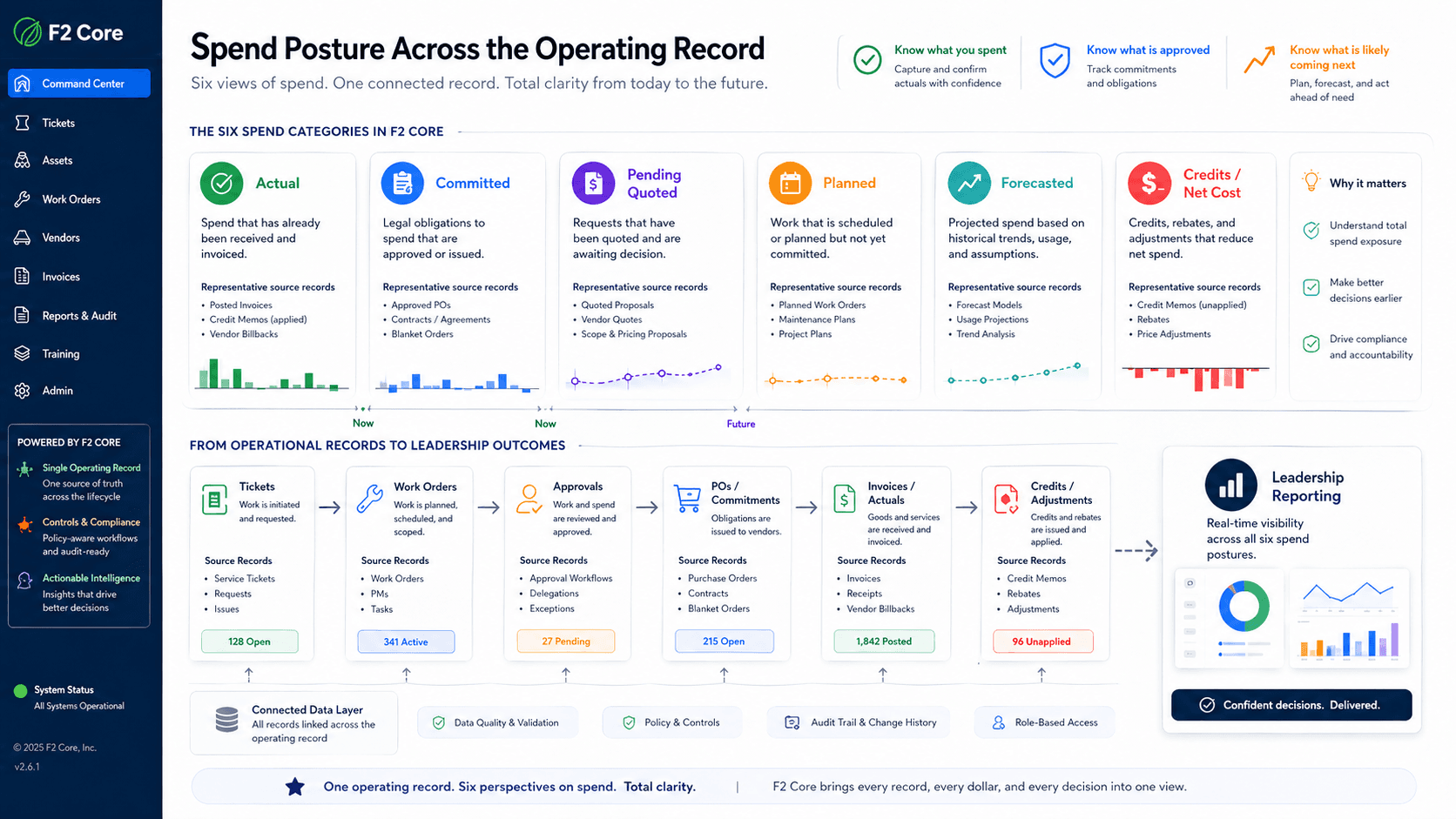
F2 already knows the operational story — assets, work orders, vendor activity, pickup events, and approvals. SpendGuard adds the financial story: quote, contract, work, evidence, invoice, credit, and savings validation.
Multi-step execution with rules and human oversight keeps the AP team in control. Exceptions are routed with cited evidence, not guesswork. Savings move through identified → accepted → validated → realized → sustained, separately reported.
Identify potential leakage from rules + matching
Accept or reject opportunities with evidence
Open a dispute or credit request
Validate the credit or invoice reduction
Sustain the result with vendor scorecards
See gross charges, credits, gallons, and net cost by pickup.
SpendGuard connects AFMS tank data where available, pickup records, manifests, vendor invoices, and used-oil credits so service, finance, and compliance can verify net cost by site and vendor.
Before/after tank levels and estimated volume removed
Manifest and pickup document matching
Missing or delayed used-oil credit detection
High cost-per-gallon and emergency-pickup review
Net cost by site, tank, vendor, and period
Do not renew contracts blind.
Upload contracts, review extracted rate cards, approve terms, and let SpendGuard compare invoice lines against active coverage, effective dates, fees, surcharges, and service categories.
Renewal reviews can include invoice accuracy, vendor response, SLA history, and repeat exceptions.
Rate cards and surcharge rules
Effective dates and renewal calendar
Service categories and site coverage
Vendor SLA history and repeat exceptions
Vendor accountability without vendor chaos.
SpendGuard gives operations and finance a shared view of invoice accuracy, contract compliance, SLA performance, document completeness, dispute history, and repeat issues.
Vendor conversations stay professional because each finding links to source evidence.
Invoice accuracy trend per vendor
Contract compliance score
SLA / RFQ responsiveness
Document completeness
Dispute and credit history
Ask spend questions with source-cited answers.
Ask questions like "Which sites are missing used-oil credits this month?" or "Which vendors have the most over-quote exceptions?" Answers cite source records and disclose assumptions.
The assistant can draft recommendations or dispute notes, but authorized users approve every financial action. AI cannot approve invoices, post accounting entries, change contracts, send disputes, or authorize payments.
Source-cited answers with linked records
Disclosed assumptions on every response
Drafts dispute notes and renewal summaries
Permissioned human approval on every action
Built for the people closest to the spend
SpendGuard speaks to the people who actually approve, pay, schedule, and reconcile vendor work — with role-specific dashboards and CTAs.
Dealer Group CFO
See invoice accuracy, contract compliance, vendor risk, and validated savings by site and vendor.
AP / Finance
Route only the invoices that need review — with the contract, work order, RFQ, pickup record, or manifest attached.
Service Manager
Reconcile used-oil pickups, manifests, charges, credits, and tank levels in one flow.
General Manager
Know which invoices need attention. Spot vendors that are drifting on price or service before it becomes routine.
Human approval where financial action matters.
AI suggests; humans approve. Every action that touches money, vendor relationships, or compliance evidence requires authorized human sign-off — not a confidence threshold, not a policy override, not an autopilot mode that quietly turns on later.
This is the trust model that makes AI usable inside finance and operations. We do not imply automatic invoice approval, automatic vendor disputes, or autopilot credit recovery.
AI cannot place an invoice hold
AI cannot approve a credit memo
AI cannot send a dispute to a vendor
AI cannot modify a contract or rate card
AI cannot post to AP or any external system
What we will not say about SpendGuard
Conservative claims build customer trust. SpendGuard is software with controls, not a managed savings service or autonomous AI.
No guaranteed savings
We separate identified, accepted, validated, realized, and sustained savings. No fixed-percent promises.
No autonomous AP decisions
AI suggests; humans approve. Holds, disputes, credits, and exports always require authorized sign-off.
Not a consulting engagement
SpendGuard is a software module embedded in F2 Core, not a one-time spend audit project.
Not legal or tax advice
SpendGuard is operational software. It does not provide legal, accounting, tax, or regulatory advice.
SpendGuard questions
SpendGuard does not replace AP controls. It gives AP the operational evidence behind a vendor invoice — the approved RFQ, contract terms, work completion, pickup record, manifest, and credit history — so exceptions are routed with proof, not guesswork.
No. The AI Spend Assistant can answer questions and draft recommendations with cited sources, but every financial action — holds, disputes, credits, exports — requires authorized human approval.
Yes. Phase 1 SpendGuard is standalone. ERP and AP system integration is future enrichment, not a Phase 1 dependency.
Savings are tracked through five distinct stages: identified, accepted, validated, realized, and sustained. We do not blend potential savings with realized recoveries.
Start with the highest-confidence categories: duplicate invoices, over-quote invoices, missing used-oil credits, unauthorized surcharges, and invoices missing required documents.
SpendGuard scope and savings disclaimer
F2 SpendGuard surfaces invoice exceptions, contract compliance signals, and savings opportunities with source-cited evidence. It does not approve invoices, post payments, send vendor disputes, or replace AP / accounting systems — every financial action requires authorized human review. SpendGuard does not promise a fixed savings percentage; savings are tracked across five distinct states (potential, accepted, validated, realized, sustained) and reported separately.
Ready to see what was approved, what was billed, and what should be challenged?
A SpendGuard demo walks through invoice exceptions, used-oil credit recovery, contract compliance, and vendor scorecards using a sample dealership dataset.