
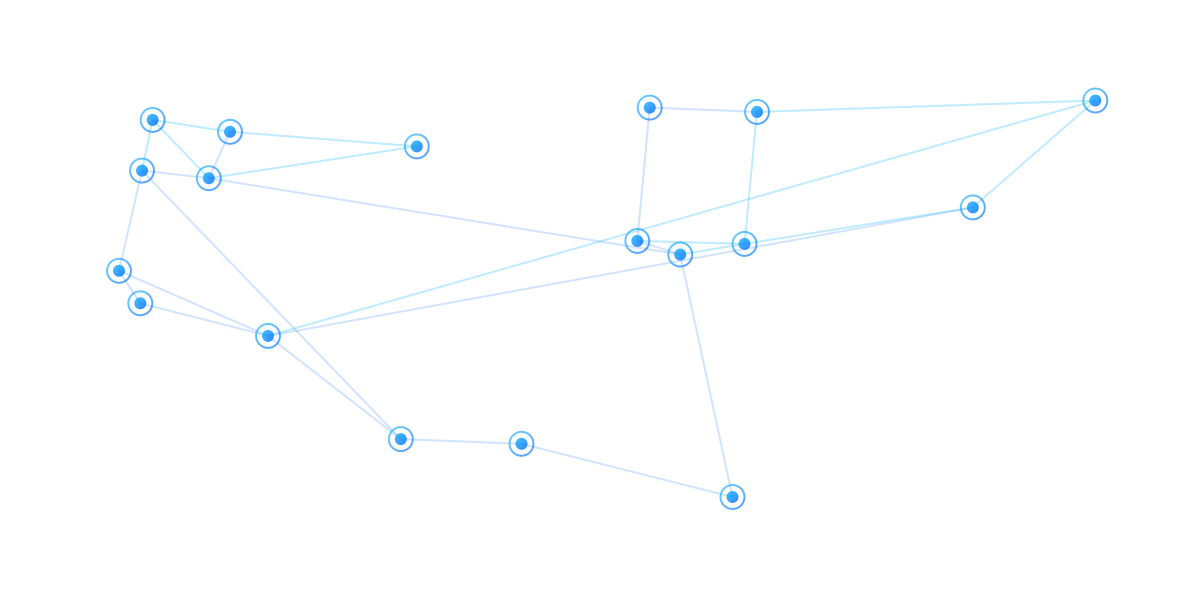
Workflow Modes the System Supports
Environmental workflows can be configured by asset, vendor, material, and event. Manual-only, telemetry-enabled, portal, non-portal, and hybrid configurations all use the same operating record — and each event tracks its own invoice, credit, no-charge, or dispute outcome.
Manual or connected asset support
Portal, email, secure-link, phone, SMS vendors
Per-event invoice, credit, no-charge, dispute
One operating record across modes
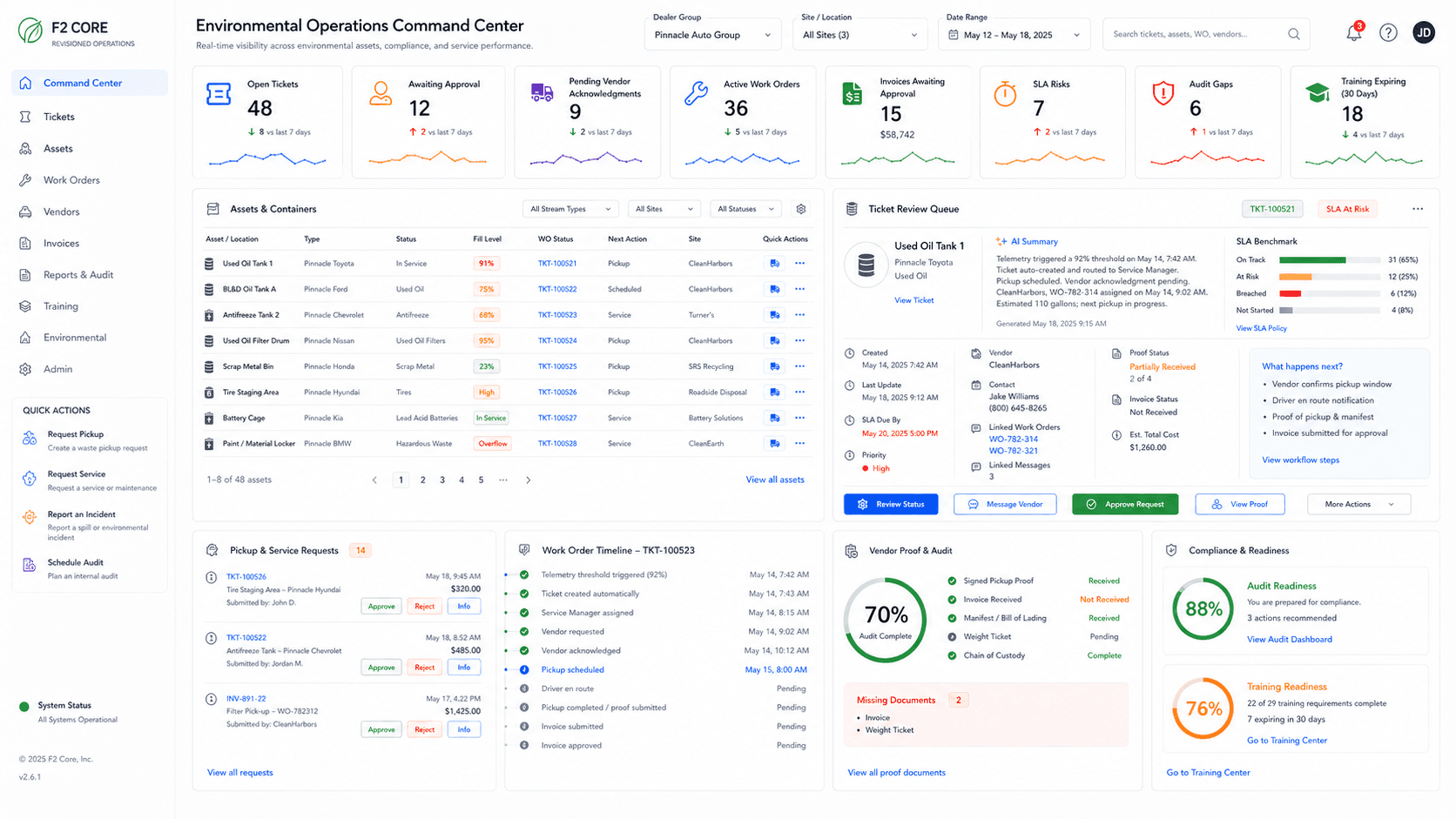
Asset and vendor modes
Not every asset has telemetry and not every vendor uses a portal. The system supports the modes dealerships actually work in — and keeps the operating record consistent across all of them.
Manual-only assets
No telemetry connection — operators capture tank readings, label scans, and pickup confirmations by hand. The operating record is the same as for connected assets.
Telemetry-enabled assets
Where AFMS or telemetry is connected and configured, tank levels, thresholds, and before/after capture feed the event automatically.
Portal vendors
Acknowledgement, scheduling, proof upload, and invoicing inside the vendor portal — all tied to the dealership event.
Email and secure-link vendors
Email-based or tokenized-link coordination for vendors without portal access; replies and uploads attach to the event automatically.
Phone and SMS vendors
Phone coordination logged by the dealership team. SMS notifications and replies where enabled and configured.
Hybrid configurations
Mix portal, email, phone, and SMS vendors per site, asset, or material — the operating record stays consistent.
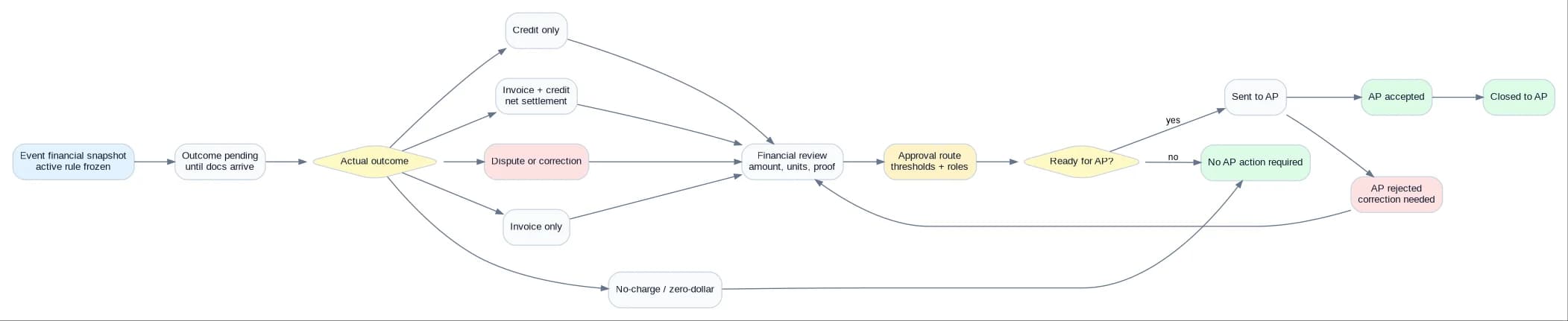
Per-event financial outcomes
Each environmental event has an outcome the dealership can see, audit, and reconcile. Outcomes are tracked per pickup, per site, per vendor.
Invoice only
Service charge billed by the vendor — matched to the pickup, manifest, and contract pricing.
Credit only
Used-oil credit, recycling rebate, or commodity adjustment applied to the right pickup.
Invoice + credit
Both an invoice and a credit on the same event. Each document is retained; both go through review and AP handoff separately.
Net settlement
A single settlement amount that nets an invoice against a credit. The net amount is what is sent to AP.
Zero-dollar / no-charge
Pickup completed at no cost — recorded with reason for auditability and vendor-performance reporting.
Pending
Outcome not yet known — event is open until vendor docs arrive. Configurable timeout escalates if pending too long.
Dispute
Mismatch flagged for review — surcharges, contract drift, missing proof, or volume disagreement move through approval-gated dispute workflow.
Corrected
Original outcome revised after correction — original record locked, new record snapshotted, audit trail captures both.
Snapshot at event creation
The active financial rule is snapshotted when the event is created. Vendor terms or rule changes later do not rewrite historical events.
Procedural workflows — beyond per-material pickups
The same operating engine runs procedural workflows that aren't tied to a specific material — scheduled recurring requests, emergency response, inspection corrective actions, vendor escalation, and manual document handling.
Recurring scheduled request
Schedule-based pickup, inspection, or training request created automatically per rule. Phase 2 unless the pilot scope includes it.
Manager-created request
Service Manager creates a request directly. May bypass initial technician approval if policy allows.
Emergency / spill request
High-priority workflow for spills or anomaly-detected incidents. Routes to Compliance Manager and Service Manager; emergency vendor may be routed by phone, email, or portal.
Inspection corrective action
Inspection findings create corrective work orders with evidence requirements and due dates. Resolution loops back into the inspection record.
Vendor reassignment / escalation
Vendor non-response triggers escalation to backup vendor or internal Ops Advisor queue, with the audit trail of each attempt preserved.
Manual vendor document upload
Email, SMS, or phone vendors send docs out-of-band; internal owner uploads on behalf of the vendor with channel/contact/timestamp logged.
Invoice discrepancy resolution
Mismatch flagged (duplicate, missing proof, amount mismatch, credit issue) stops approval and opens a clarification request to the vendor.
AP exception / correction
AP rejection reopens relevant workflow nodes with rejection reason, correction docs, and resubmission tracking.
Material and service use cases
The same operating record supports the materials and services dealerships handle every week — pickups, recycles, hazardous waste handoffs, refills, parts wash and absorbents, training records, and audit pack assembly.
Used oil
Pickups, before/after levels (where AFMS or telemetry is connected), manifests, credits, and net cost per pickup.
Antifreeze / coolant
Antifreeze pickup workflows with optional telemetry where configured; manual workflow otherwise.
Used-oil filters
Filter container count and weight pickup workflow with proof of disposal or recycling.
Tires
Tire pickup requests, vendor coordination, weight or count proof, fees, and disposal records.
Batteries
Lead-acid and lithium battery pickup workflows, core credit tracking, and chain-of-custody documents.
Scrap metal
Scrap pickup scheduling, weight tickets, payment or credit, and per-site reconciliation. Financial outcome varies by market and vendor terms at event date.
Diesel / DEF
Refill, service, or quality-issue workflows with quantity and service-ticket proof. Phase 2 unless pilot scope confirmed.
Paint / hazmat
Hazardous waste pickup with manifest workflow, transporter ID, disposal facility, waste codes, and chain-of-custody captured on the event.
Refrigerant
Refrigerant capture, transfer, and disposal workflow with regulated documentation.
Oily water
Oil-water separator pickup workflow with volume proof and disposal facility records.
Parts wash
Parts-wash service workflow with solvent exchange documentation and service-ticket proof.
Absorbents / spill response
Absorbents, shop towels, and rags routed through the same vendor coordination workflow as other regulated waste streams.
Glycol coolant
Coolant pickup workflow with quantity and disposal proof. Configurable financial outcome.
Training records
Operator training, refreshers, and required acknowledgements stored on the asset and site record.
Audit pack export
Bundle inventory, labels, inspections, training, manifests, and vendor records into one exportable evidence package.
Configuration changes are versioned, not destructive
When a workflow rule changes — vendor terms, financial outcome, proof requirement, AP routing — F2 Core publishes a new effective version. Historical events keep using the version they were created under, so audit history remains reproducible.
Configuration completeness validation runs before publish. Required data blocks publish — no silent gaps. The setup wizard shows missing pieces explicitly.
New events use the new version starting at the effective date.
Past events stay on their original snapshot — no rewriting history.
Completeness validation blocks publish on missing data.
Workflow versions are listed with effective dates and change audit.
From manual process to managed workflow
The workflow-mode flexibility above replaces disconnected calls, emails, spreadsheets, and paper manifests with one tracked environmental event record. Workflows are configured per site, asset, and vendor; some steps may include manual handoffs.
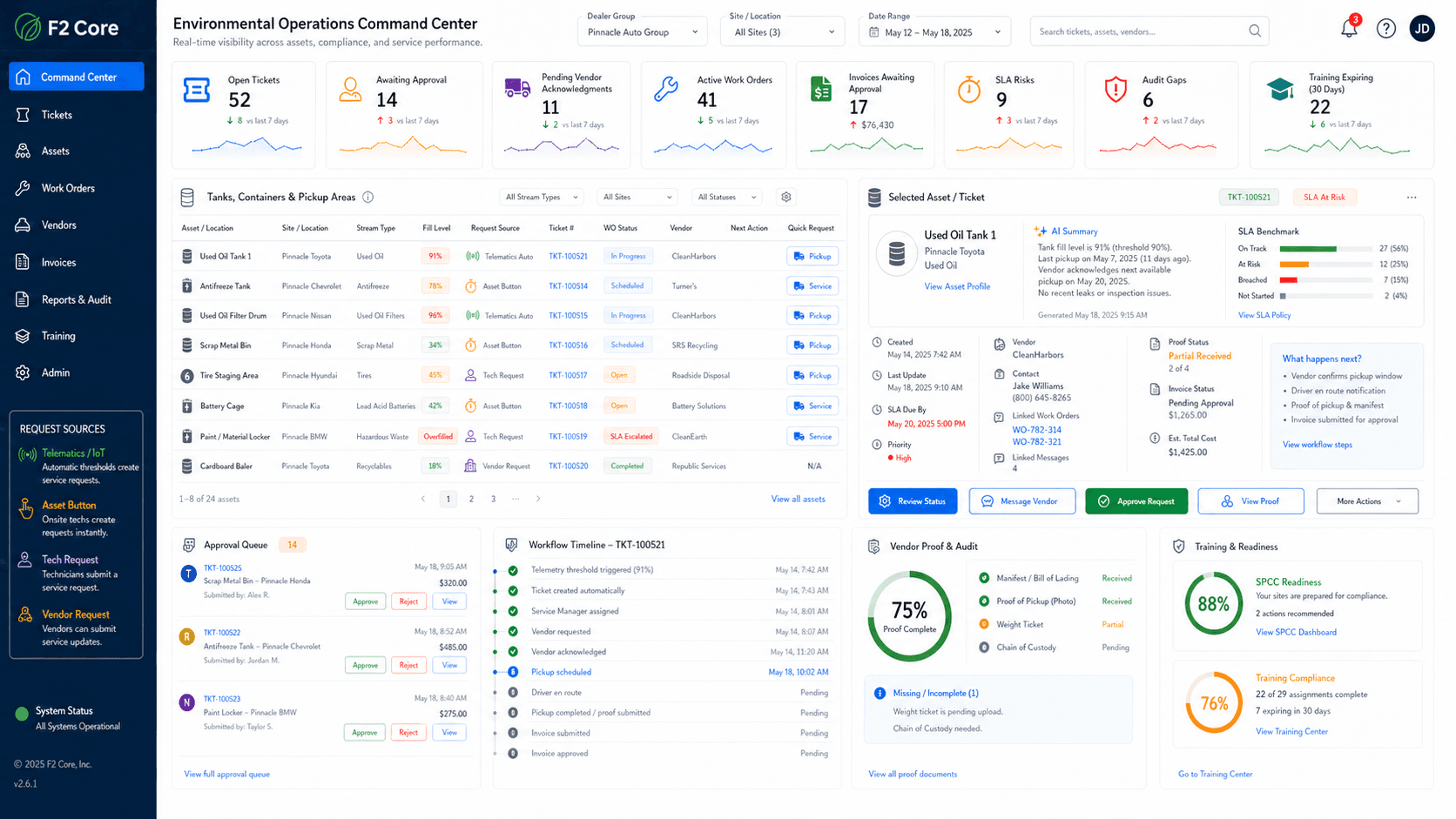
Signal → Action → Evidence across every mode
The model is the same whether the asset is manual or connected, and whether the vendor works through a portal, email, secure link, phone, or SMS.
What the event captures.
Request from operator, dispatcher, or threshold (where connected)
Asset, tank, material, urgency, preferred window
Vendor context, contract pricing, history
Documents and label / QR references
How the work moves.
Acknowledgement (portal / email / phone / SMS where enabled)
Schedule, service, before/after capture (where configured)
Proof upload — operator, vendor, or both
Approval-gated financial review
What the record keeps.
Event timeline by site, asset, vendor
Outcome — invoice, credit, no-charge, dispute
Tank delta where AFMS or telemetry is connected and configured
Organized evidence — not a substitute for qualified review
Configurable, not generic
Workflow modes are configured at the site, asset, vendor, and material level. Different sites in the same group can run different modes — telemetry at one rooftop, manual at another, portal vendors in one region, phone vendors in another.
AP integration depends on implementation; AP handoff is tracked either way. SMS routing is available where enabled and configured. Phase 2 capabilities are flagged when they apply.
Mode configured per site, asset, vendor, and material
AP posting may be manual or integrated
SMS routing where enabled and configured
Route / fleet optimization scoped as Phase 2 unless confirmed
Compliance review by qualified professionals — F2 Core does not certify
Environmental compliance disclaimer
F2 Core supports environmental workflows, organization, documentation, and evidence readiness. It is not a substitute for legal advice or a qualified environmental compliance review.
See workflow modes on a real dealership event
Walk through manual, telemetry-enabled, portal, non-portal, and hybrid combinations on a real-world environmental event from request to AP closeout.